


Desktop Text Messaging for Auto Repair Shops
Send and receive customer texts from your computer, using your shops number — no phone required
Schedule Demo!Say Goodbye to Lost Time and Productivity
Waiting on customer approval for work can bring your shop to a standstill. The job has been dispatched to the technician and the parts are in stock, but until you hear from the owner, everything grinds to a halt. What if your advisor could text them instead of leaving multiple voicemails and hoping they call back? Instead of sending your technician to the next job, text your customer everything they need to approve the work and get that car out today, not next week.
Stop Waiting, Start Texting
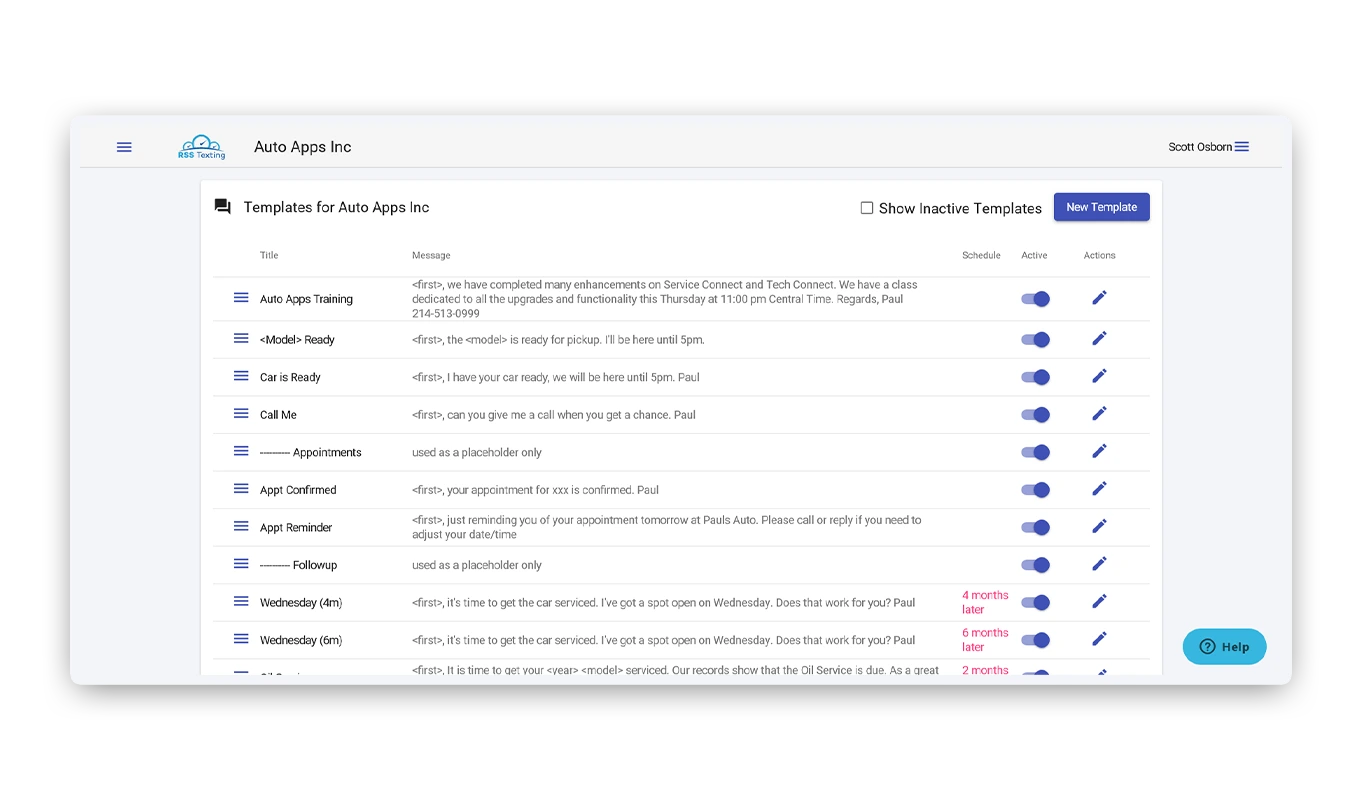
Stop waiting for that callback and stop the disruptive calls asking for an update. Send and receive text messages from your desktop! Customized drop-down templates and integration with your shop management system make it quick and easy. Communicate with your customers without a mobile app or a separate cell phone on your desk. No contracts, no hardware to buy, and multiple users.
Use Your Shop’s Current Number
We can use your shop’s number so customers know who’s messaging them, or you can use a different local number. The choice is yours. If you use our DVI software, we can send the DVI from the number you choose.
Schedule Demo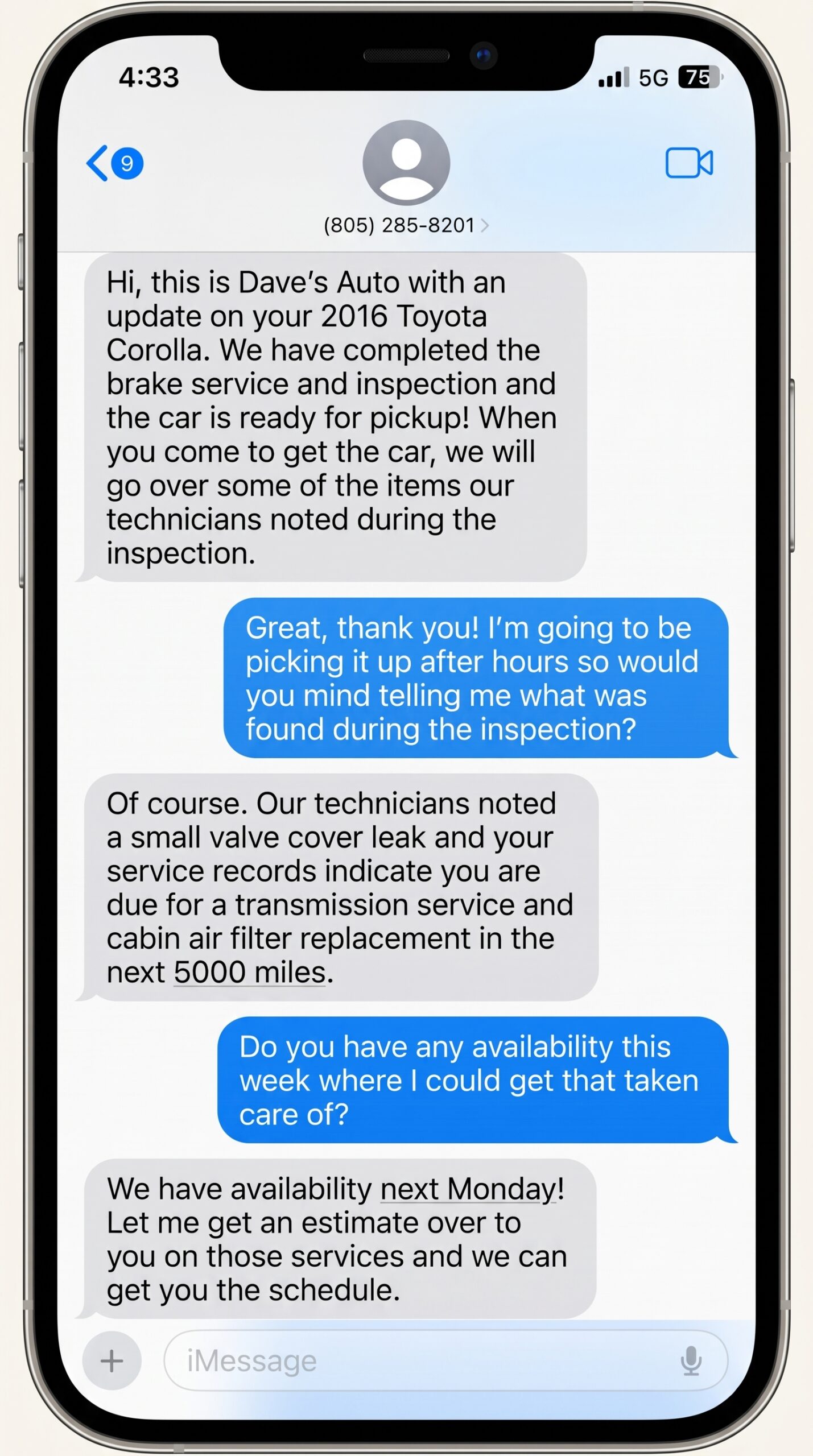
Benefits of Texting
Nearly everyone has a cell phone. Texting is a reliable, easy way to communicate with your customers and keep them up to date on the status of their vehicle as your shop completes the work it needs. Let’s face it, texting is the dominant form of communication in this day and age. Why are we still forcing customers to use a communication platform that isn’t their go to? Desktop texting modernizes your business and makes your customers happy!
Get answers and provide updates faster than ever. Your customers will stay informed, and your advisors won’t get pulled off task by those “how’s my car” calls. Level up your customer service without any negative impact on your shop’s productivity
Talking to customers is an integral part of the service advisor’s job, but update calls can quickly eat into the limited time they have each day. The ability to send a text from their desktop can free up more time for them to write estimates and close more sales.
A customer who sees an employee on a cell phone has no idea whether it’s a work text or a personal one. Desktop texting keeps the work on the computer. Advisors send messages from their desk, from the shop’s own number, with no app and no separate phone on the counter. Your employees’ personal phones stay personal.

Texting Templates

One Screen for Every Conversation
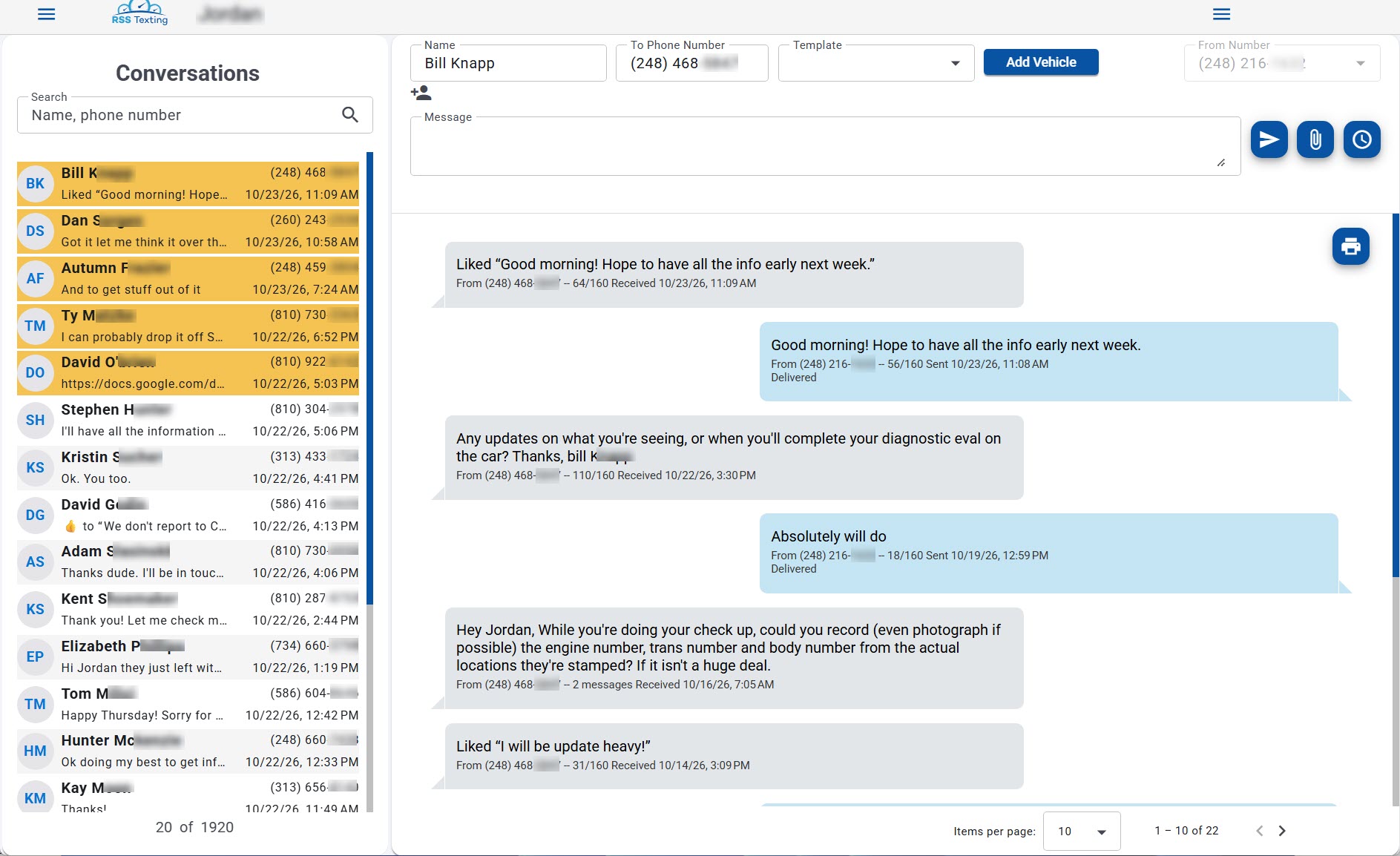
Send a text in a few seconds. Type a name and number, choose a template if you want one, and press Send. The conversation list sits beside the form with the newest messages on top, and unread conversations turn yellow so a reply never gets buried. Browser notifications tell you when a customer answers, and a search box finds anyone by name or part of a number.

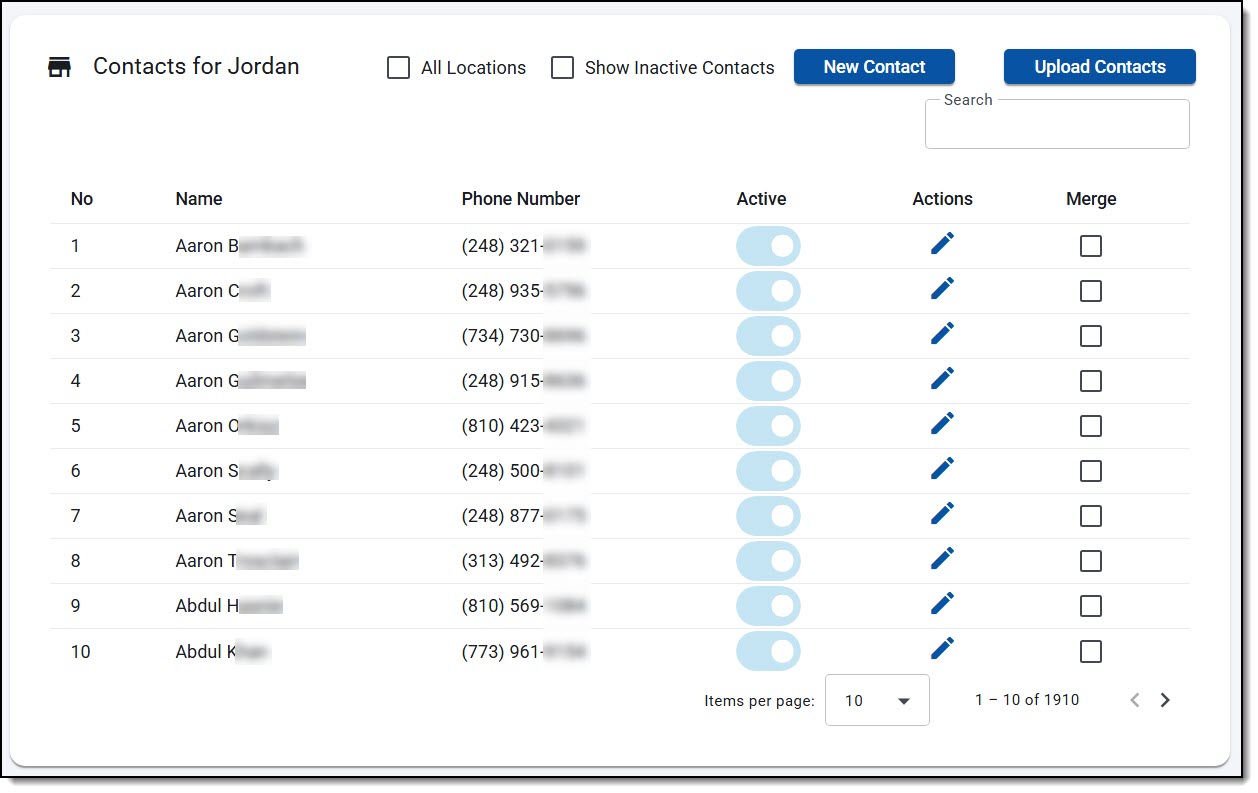
Contacts That Stay Clean

Write It Now, Send It Later
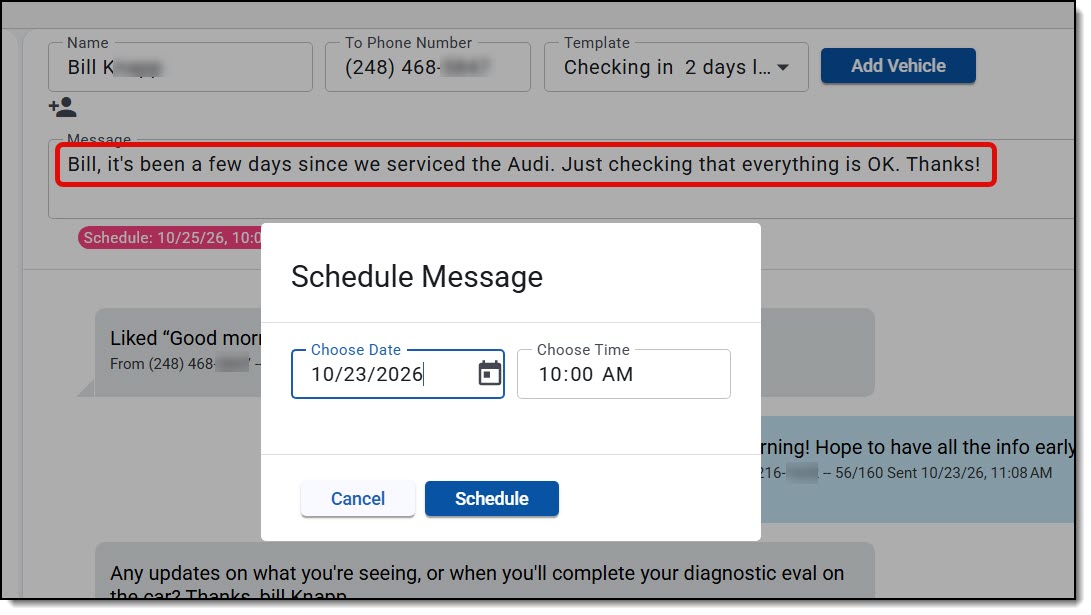
Write the message now and let RSS Texting send it later at your shop’s default send time. A red number on the schedule icon shows how many messages are waiting. Click it to see the full list, sorted any way you like, and change the text, date, or time of any message, or delete it. Next to each customer’s initials, a number shows how many messages are queued for that person.

Group Texting
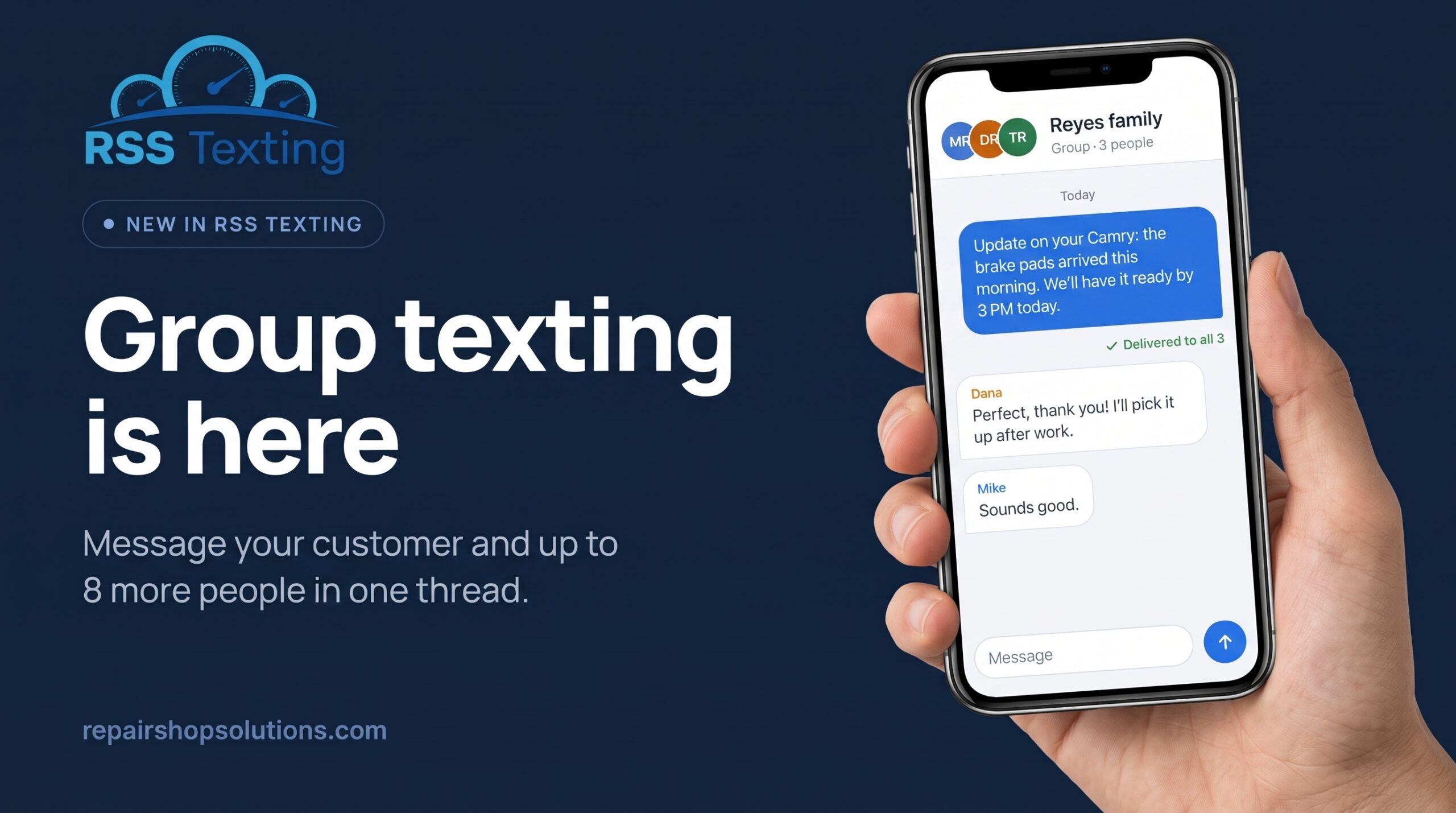
Some repairs need a yes from more than one person. A couple shares one car. An owner and a manager both approve the estimate. With group texting, an advisor sends one message to the main customer and up to 8 more people, and every reply lands in the same thread.
- Pick people from your contacts by name, or type a new name and number to add them.
- Replies show who sent them, and the thread shows its member count in your conversation list.
- Every message shows Sent, Delivered, or Failed for each person.
- Group messages can be scheduled just like any other text.
- If someone replies STOP, RSS Texting blocks the send and shows who opted out.
Group texting is included in your monthly fee. Read the group texting help article.
Pricing
By not hiring an expensive commissioned sales staff, we can offer you the best pricing in the industry!
Desktop Texting
$50
Per Month + $50 Set Up Fee
This plan will cover 95% of all shops. Start here, you can always work your way up if needed. Includes 1,000 messages and group texting
Buy NowSchedule a Demo!
The best way to learn what Repair Shop Solutions can offer your business is to see it first hand. Schedule a one-on-one demo today!